Amwell is a telehealth company bringing providers and patients together in a video format.
My role: Lead UI Designer
Project Summary
Problem: The company offered B2B SaaS and wanted to create a streamlined but modular product that could be customized for each of their clients. Configurations were being done through a third-party CMS, which the company was now growing out of as the product and microservice offerings became more complex.
Goal: An intuitive admin platform of seamless workflows with varying levels of configurations, permissions, and data lookup.
Impact: I designed a sitemap, object model, and interaction templates for a modular and scalable admin platform that can be scaled as the enterprise company continues to grow and refine requirements.
The company offered B2B SaaS and wanted to create a streamlined but modular product that could be customized for each of their clients. Given that this project was starting from scratch, I was heavily involved in the discovery and definition stage with my design and product partners. I was technically a UI Designer, but I looked at this initiative holistically and focused on 3 key areas:

Definition
I created alignment by documenting terminology
Scalability
I considered how to accommodate growth as the product continued to evolve
Patterns
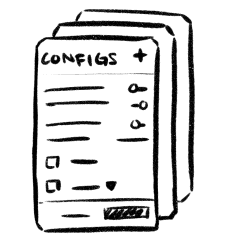
I considered navigation & interaction patterns
The brains behind it all
Client managers needed to be able to set up and maintain client accounts in an efficient manner that made sense to how the products were being built and sold.
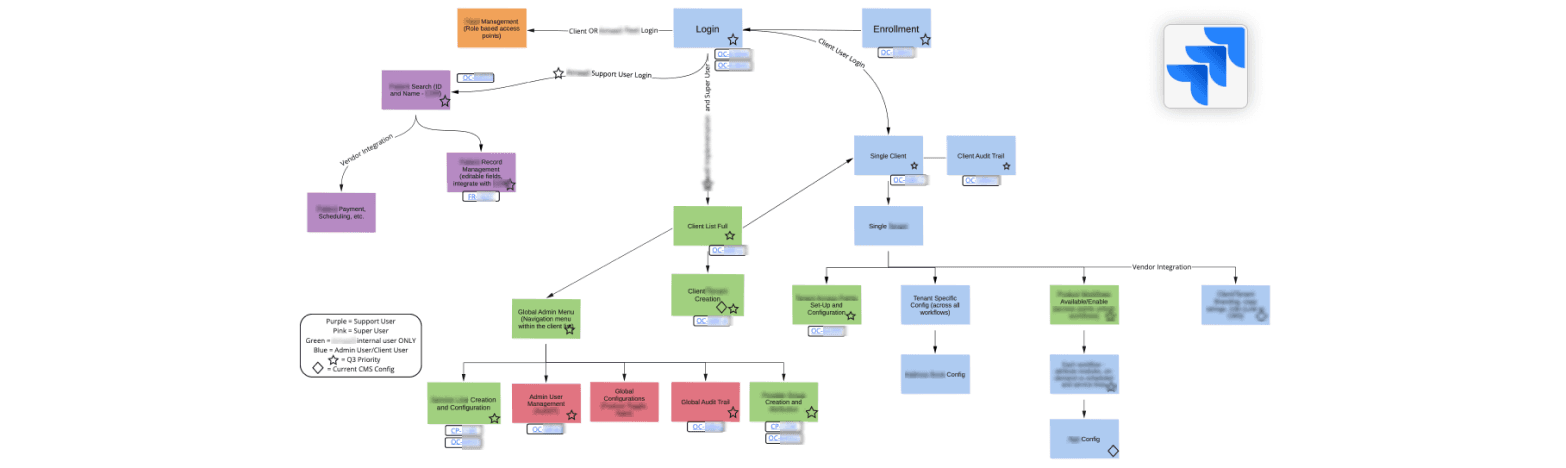
The way the company sold its product was now evolving in a new era of modularity to meet client-specific needs. However, because of development resources, we still needed to utilize the help of third-party vendors for certain aspects of the platform. This added a level of complexity and simplicity all at once as we tried to piece together which parts would be built in-house, which needed to utilize vendors, and how they all worked together.
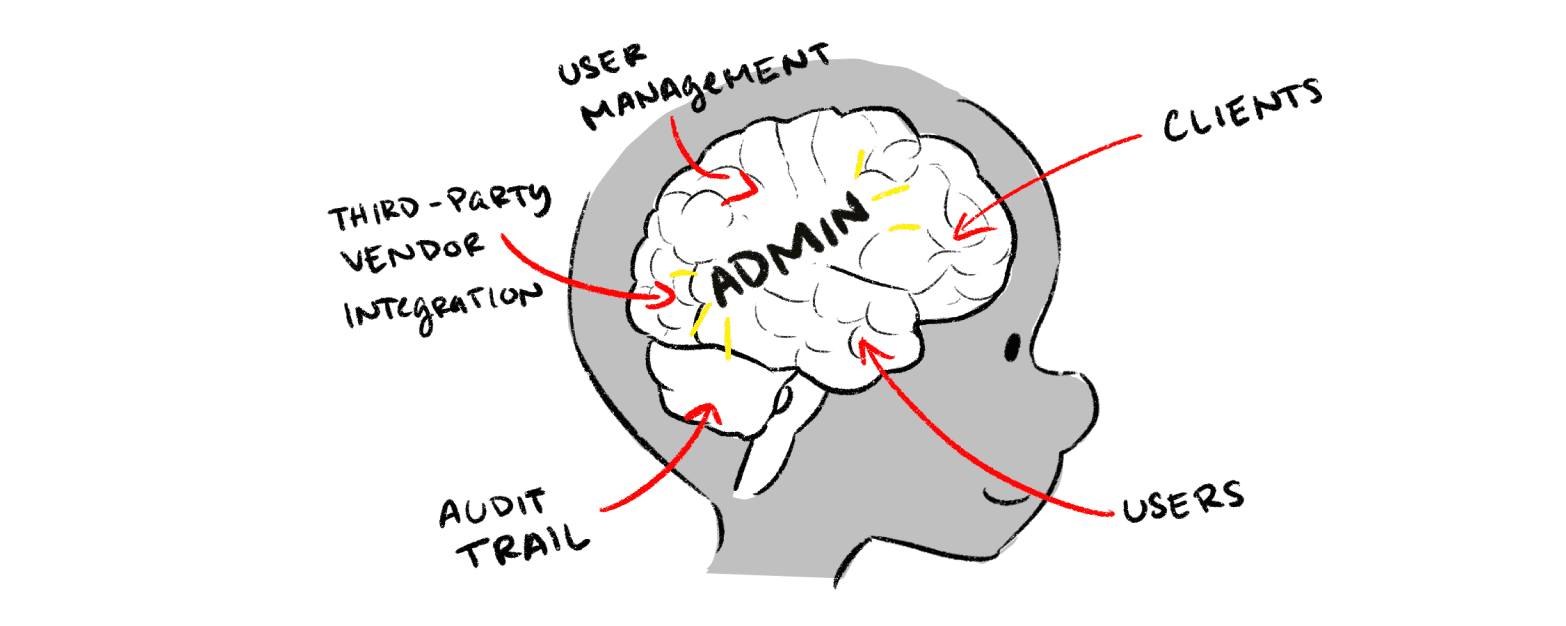
Because this platform is meant to touch all aspects of the company’s product and users, it was huge. Our PM started us designers off by gathering a butt ton of Jira tickets and laying it all out in a high level flow.
Defining the relationships
We worked across a number of verticals to learn about their sides of the product and how that piece fit into the big picture. The team had a total of 6 stakeholder workshop sessions to understand different the aspects of the product. We spoke with...
7 Product Managers
To learn more about all the areas this would touch
Director of Marketing
To learn how we sold and packaged our product
SME UX Partners
To learn how this would affect clients & consumers across the business
There was a lot of specialized terminology being thrown around, so I started documenting it to have a public source of truth for discussions and questions. I created a diagram to define nouns and their relationships with each other, because a simple glossary wasn’t enough.
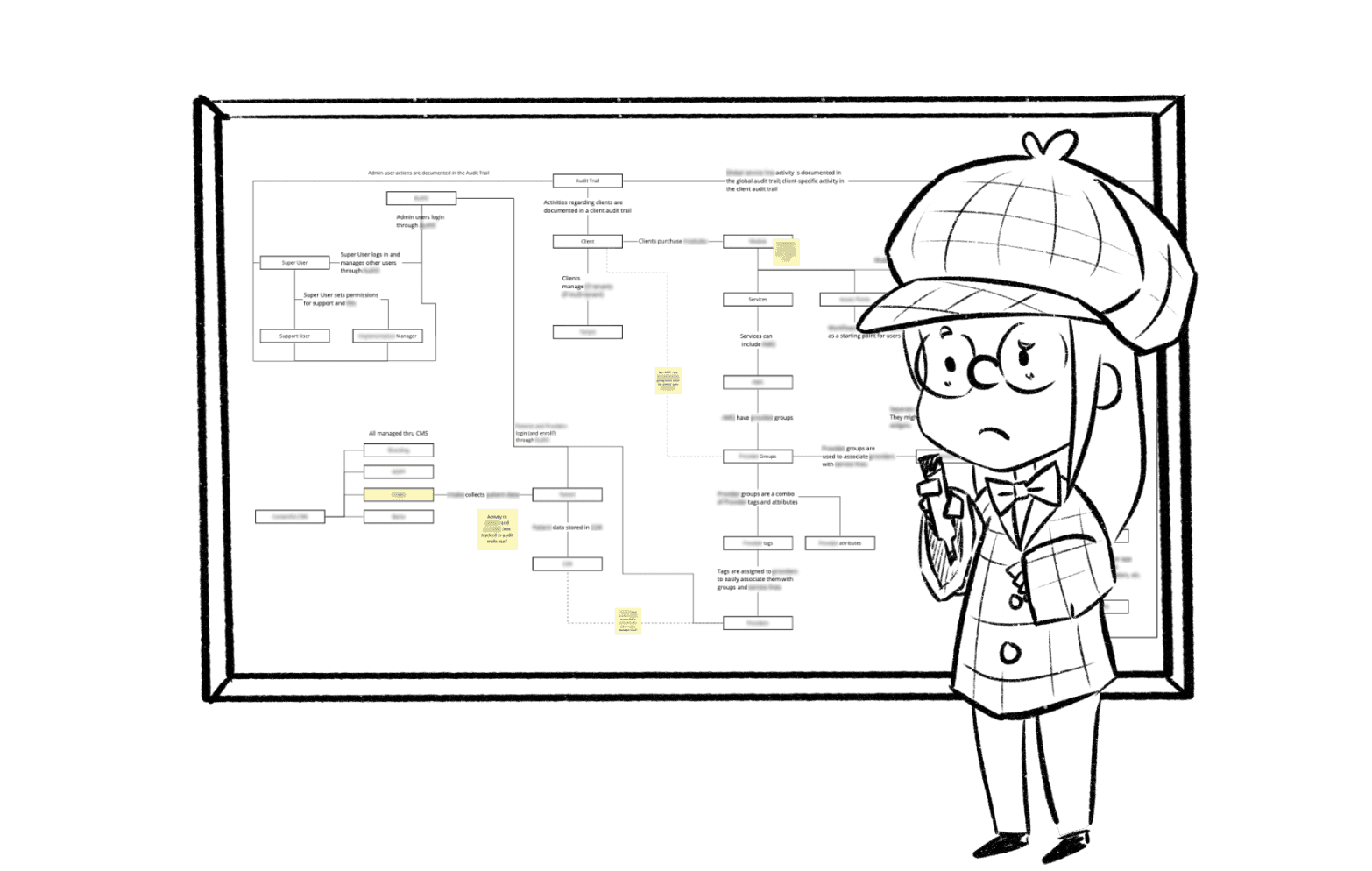
This also facilitated and clarified conversations about how to connect all the features that other PMs laid out for us in the workshop sessions.
Wait--I think...I see patterns?!
It was important to set immediate, stretch, and long-term goals. During the workshop sessions with different stakeholders, I learned that even an MVP for admin was massive with feature after feature being requested left and right from the other PMs. I fleshed out a massive web of user flows with my team that helped us visualize the types of screens I needed to make.
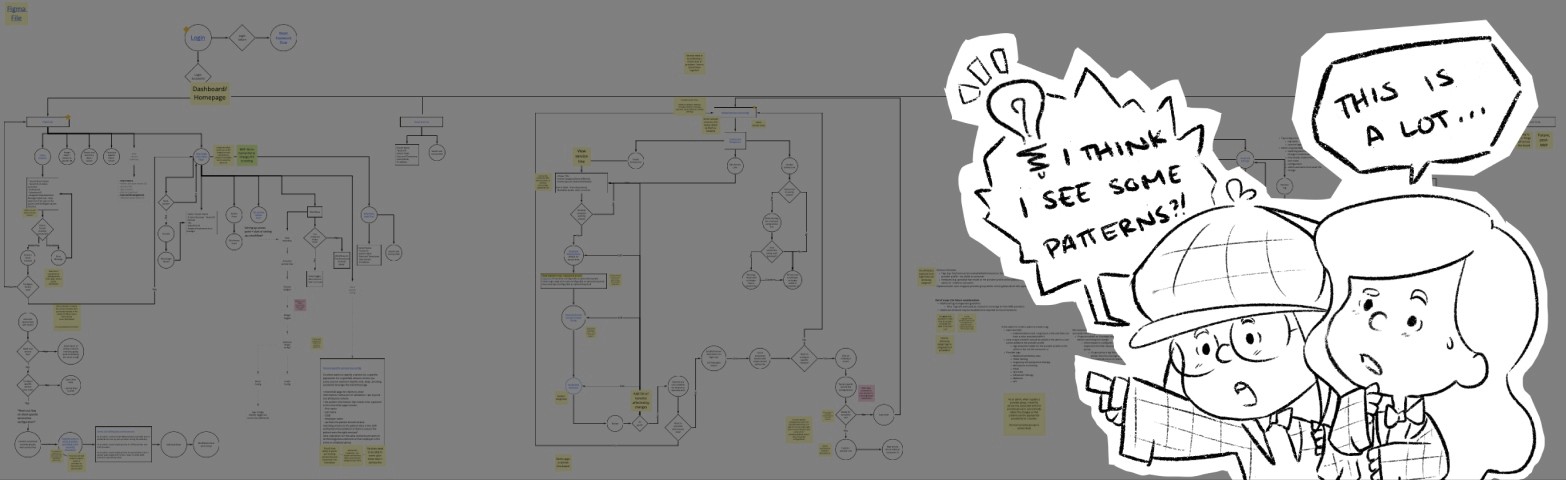
The discussions eventually led the team to want a “template” approach. As the UI Designer, I took it a step further and decided to create component rules based on interaction patterns I found across the different tasks in the flow.
Building blocks for scale
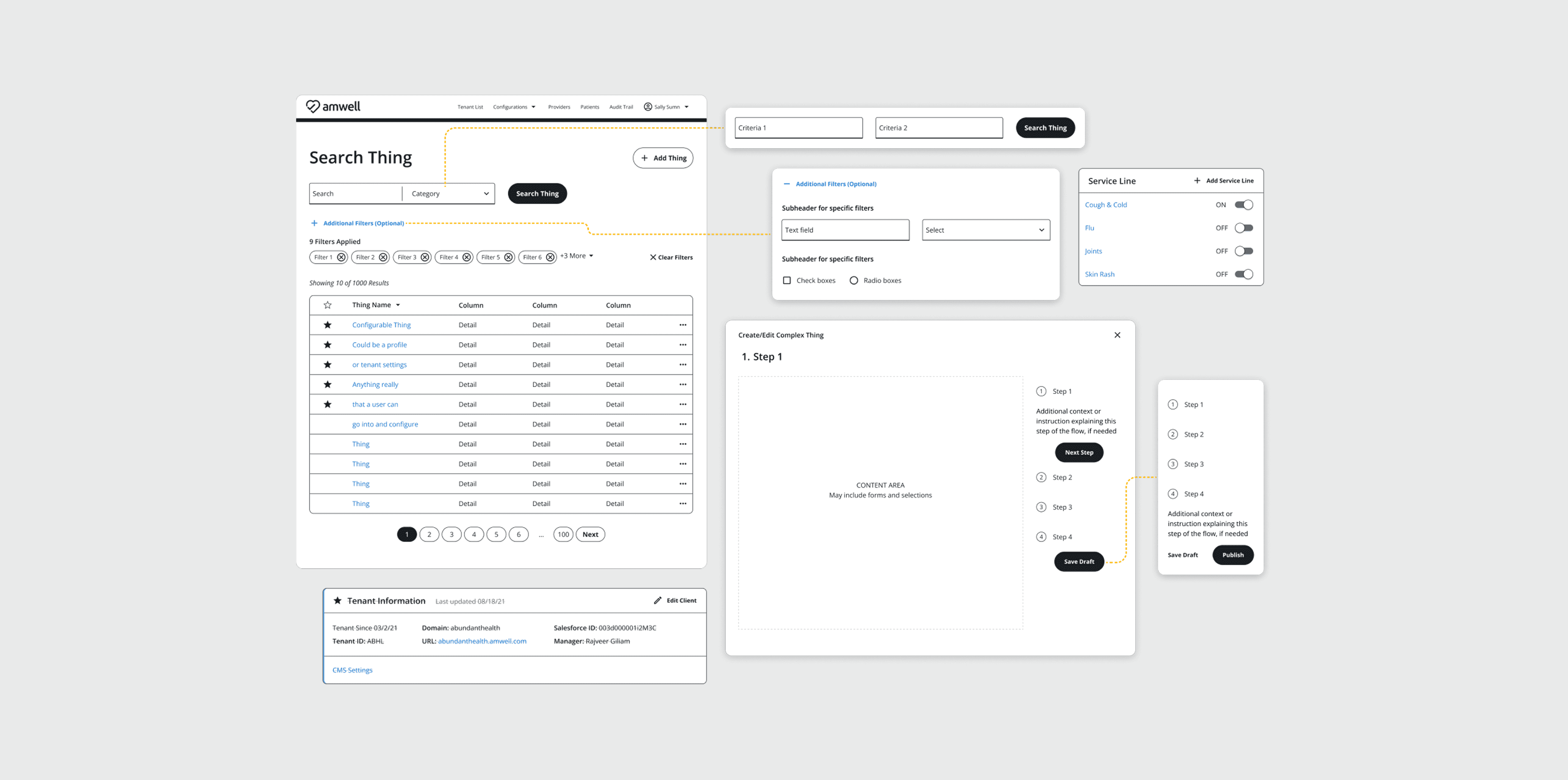
Using the company’s design system, I produced a set of reusable patterns that was dependent on the necessary interaction for the user’s goals that I found in the user flow.
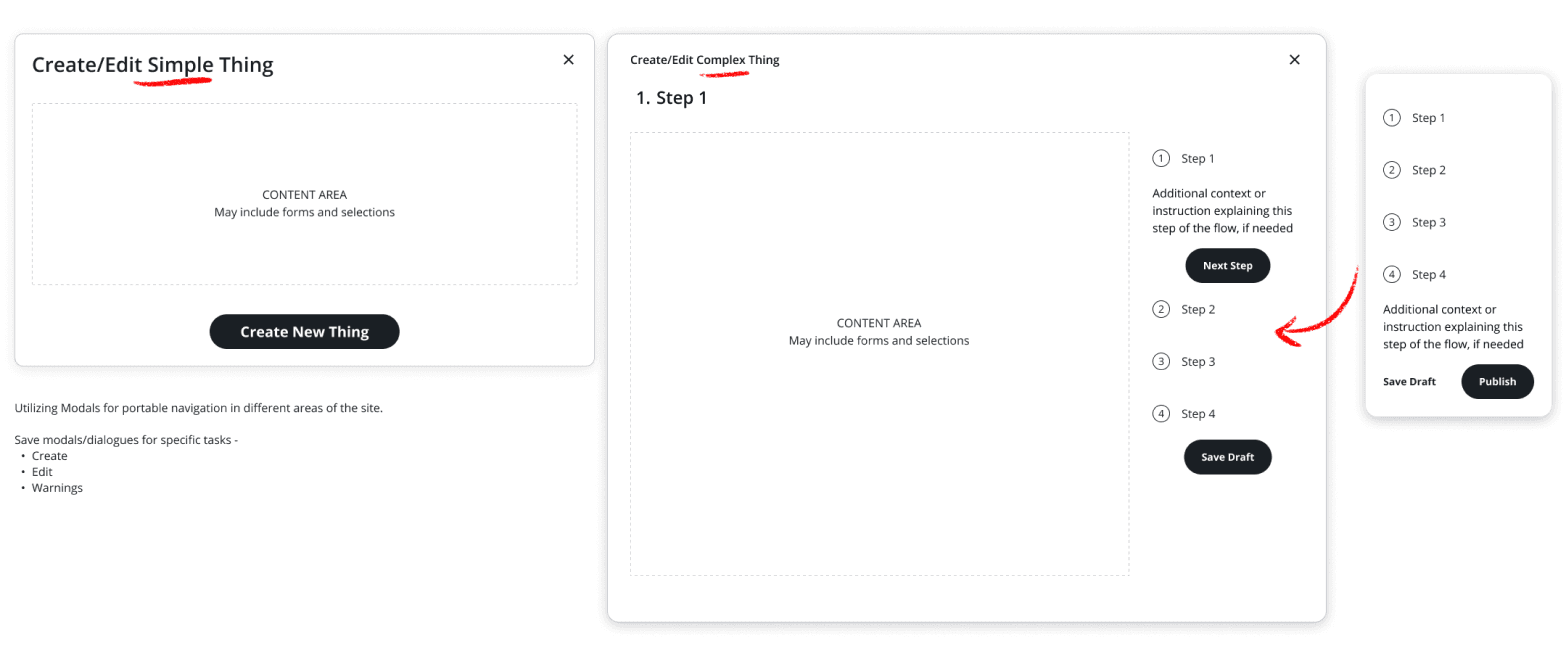
✨ "Portable" create & edit flows using modal variants
“Create and edit” actions accessible from different aspects of the website, and how would that look in the navigation. To tackle this, I put those actions in modals. This approach makes these actions “portable” in the user's navigation.
Pop-ups would be for simpler items
Takeovers would be for more complex creation flows that required a wizard flow
✨ Robust search & filter core entities
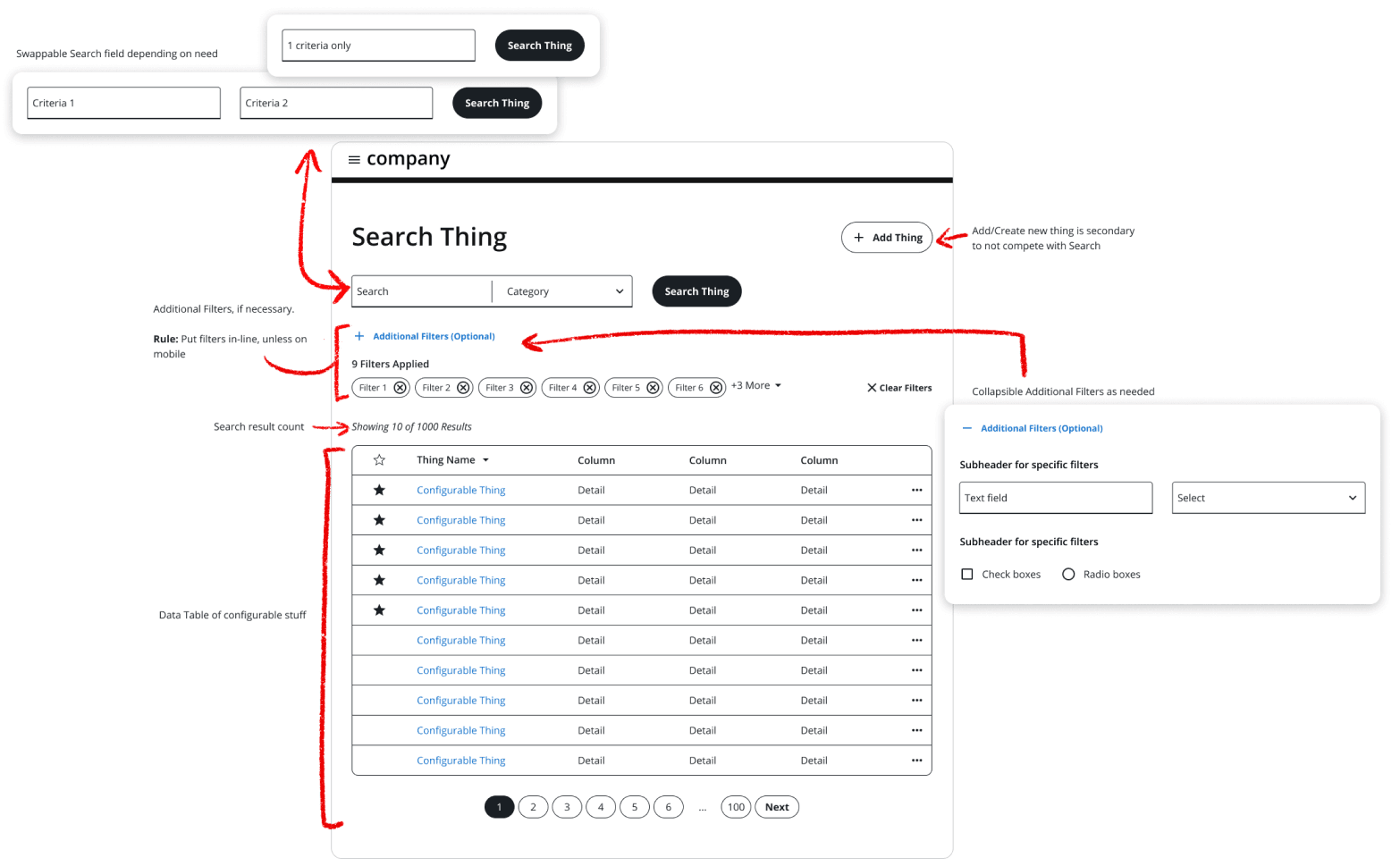
Because the platform needed to host and display a lot of data from a variety of core entities, it was important to create a template that accommodates the different type of content without the user relearning actions. Nested components were swappable based on need.
Variants of search included 1-2 criteria or items within specific categories
Variants of filters included free text, drop downs, radio and check boxes
Simplifying interaction with truncation was emphasized to focus on filter actions
Lots of patterns were explored, but screen real estate was a major piece. Navigation was collapsed for focused interaction, so in-line filters were used for contextual awareness.
✨ Card-based visual organization
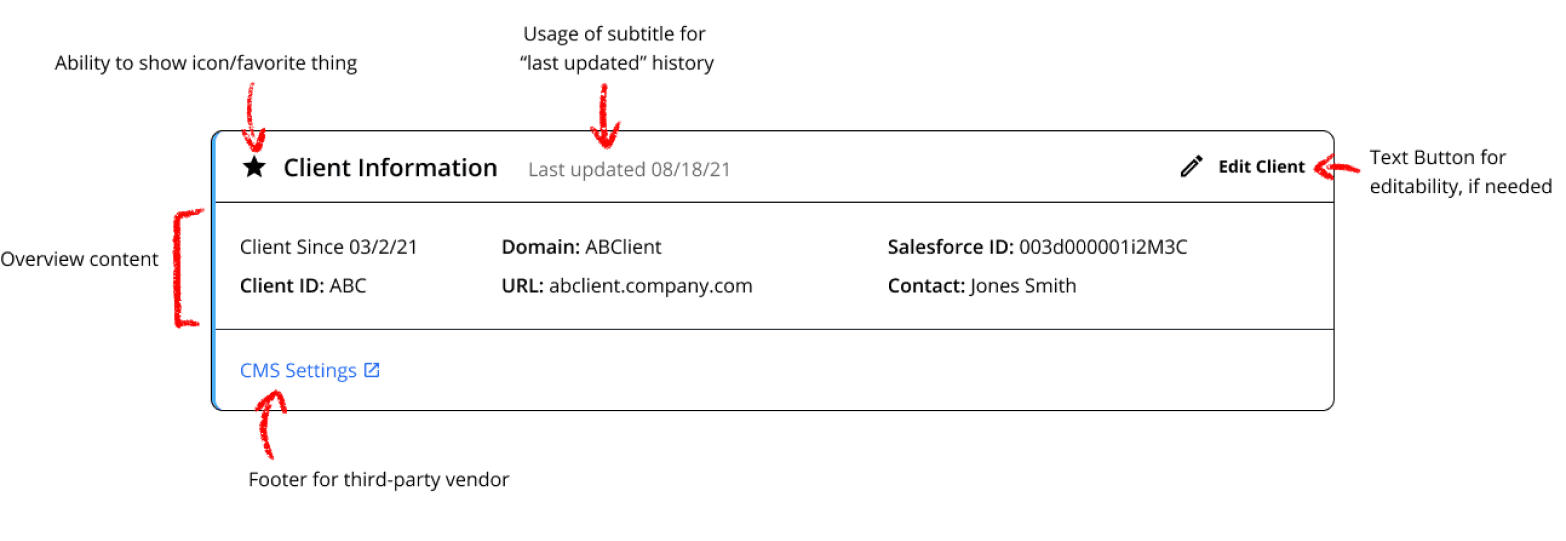
In each object within the core entities, there were 2 types of content: editables & configurables. Editables were utilized for read-only (but editable) content for things user and client profiles.
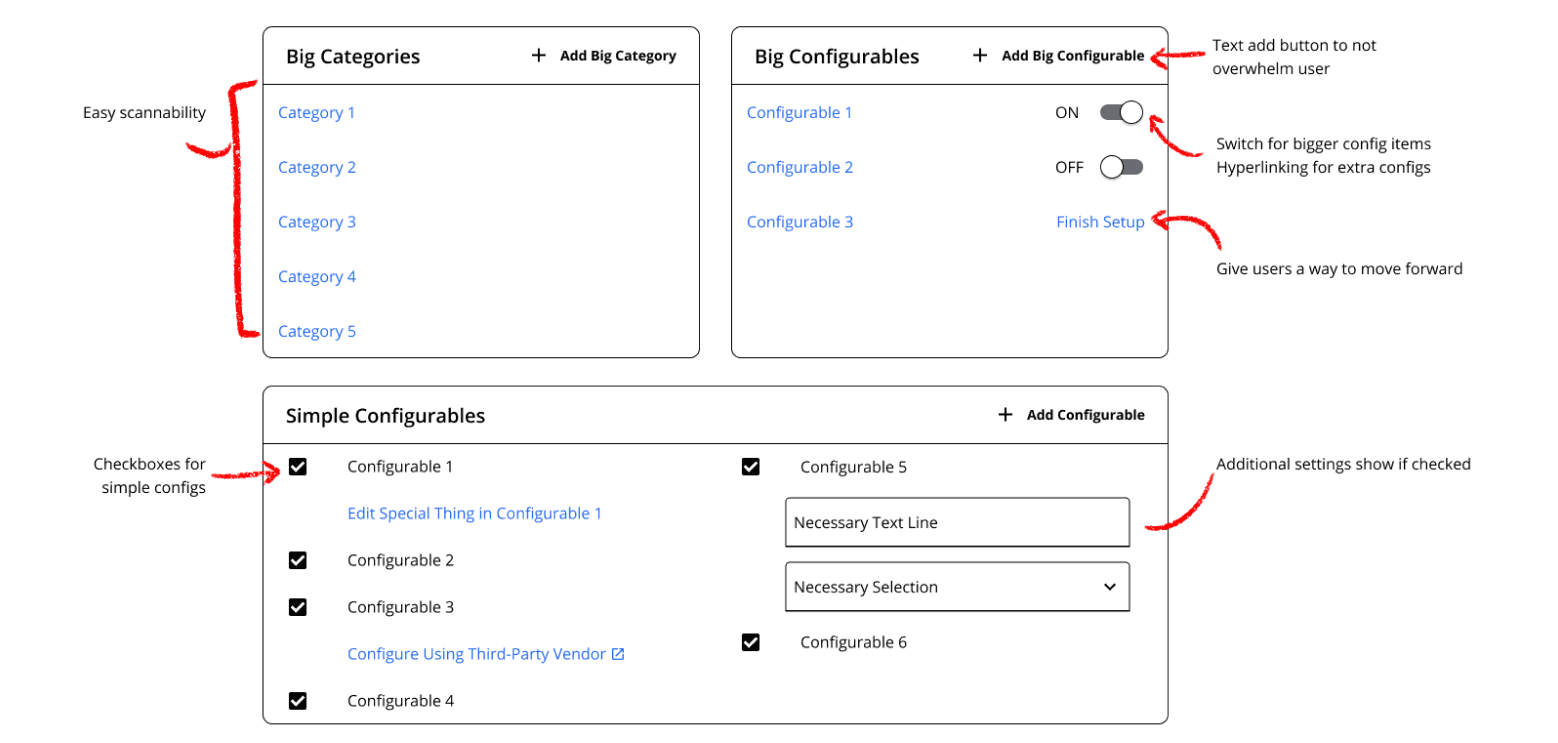
Configurables were the core of the app. Items needed to be...
Created, updated, or deleted
Turned on and off at high and micro levels
Configured with context-specific requirements
Next steps
I have since left the company, but in the immediate next steps, the team fleshed out the flows even further to construct more reusable components as needed and string together pages with what I already laid out. There would also be closer collaboration with our UX Researcher, who was conducting interviews while we gathered requirements, to help push the designs to final as requirements are clarified and enhanced by user needs, goals, and motivations.
Lessons Learned
Drive with curiosity —
Being the designated UI Designer for the early stages of this product is tricky, considering it was dubbed “the most complicated project in the company”, since it is meant to control everything for an enterprise-level B2B SaaS.
I am happy that I broke several norms when working with my team, which opened a bigger conversation for collaboration across the whole department.Stakeholders like to see final designs right away; however, it was more important than ever to take a step back and deliver based on goals and needs. I learned to be more comfortable defending my design decisions to cross-functional stakeholders, knowing that I was advocating for both our users and the entire team as I considered development, scale, and technical debt.
Additionally, I heavily contributed to the team getting a grasp our requirements by documenting definitions and object relationships. While this was technically not in my duties as a UI Designer, I felt that it was helpful, and my teammates agreed. As a designer, it is my duty to make sure I practice human-centered design for both the users and the team, so I went with my gut and let my curiosity about the product and my empathy for the users and the team to drive my work.
Kind words from my teammates
“This is really excellent. I'm impressed what everyone was able to do, given the level of ambiguity still.”
— James Hatfield, Director of UI
“We are already in a complex field, and this is the most complex piece of it-- how it all works. It will save engineering time, make admin's work easier, and it's a great example of collaboration between our groups.”
— Kevin Segel, Director of UX
“Martha has been especially great at protecting the fidelity of the designs of this work for our benefit and for our partner's benefit, because we want to be transparent about what we're doing and what we're delivering.”
— Corey Pontious, UX Manager
“Martha, your UX input was extremely valuable. I hope to continue to work with UI in this fashion in the future!”
— Rachel Ballan, Sr UX Designer
Check out my other projects
Want to know more about how I work and solve problems? See my other work!
View Work
Wanna know what else I've got or more about my newer projects? Hit me up! 👇🏽